
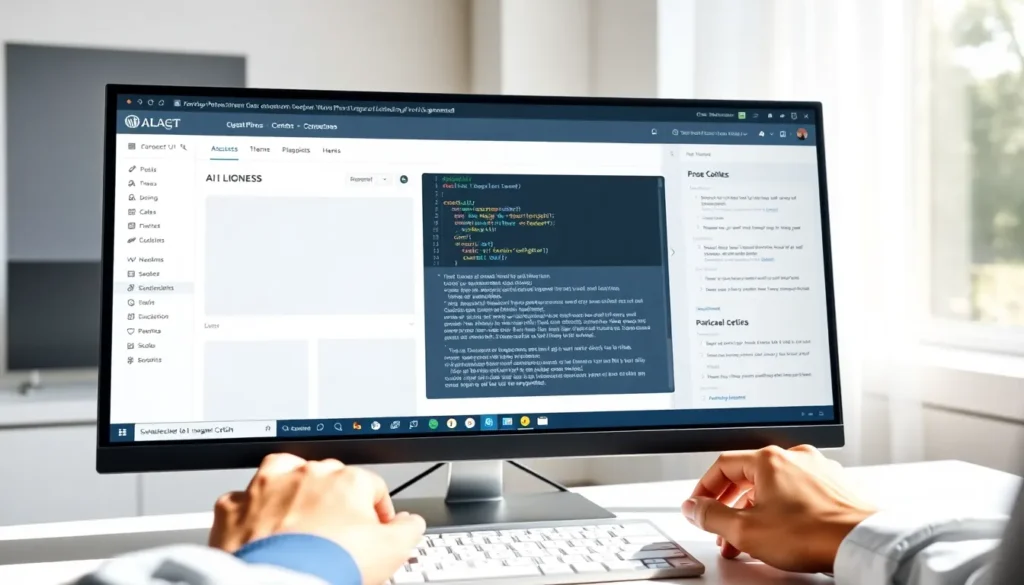
AI-powered WordPress theme builders promise to turn a prompt into a working site in minutes, and some actually deliver a usable starting point. The reality sits between the hype and the skepticism: AI can generate a functional layout with placeholder content and basic styling, but you will spend hours fixing navigation logic, tuning performance, and connecting real data. This article shows what AI theme builders actually produce right now, where they save time, and the three places they break that you need to fix manually.
The setup
Tools like ZipWP, Elementor AI, and similar builders live outside the standard WordPress dashboard until you export or sync the result. You work in their web interface, describe your site goal in a prompt box, choose styling preferences, and receive a draft theme or page layout. This is not the same as WordPress Customizer or the Site Editor - these builders generate an entire site structure, then you import it as a child theme, apply it to an existing theme, or activate it as a standalone install.
What AI builders actually generate
Current AI theme builders produce a five-to-seven page WordPress site with homepage, about, services, contact, and blog index. Elementor AI creates a usable five-section homepage draft in under two minutes once you provide a business description. ZipWP lets you generate up to 50 different website versions and upload brand images before committing to one design, which gives you iteration room without paying for revisions.
The output includes preset block patterns or Elementor sections, placeholder images pulled from stock libraries, auto-generated headings and body copy, and a color palette derived from your prompt or uploaded logo. Navigation menus link to the generated pages, and the site runs on a parent theme the builder recommends or bundles. You get a functioning install, not just wireframes.

What you do not get is custom post type registration, WooCommerce product templates tuned to your catalog structure, membership logic, or any server-side PHP that handles form submissions, user roles, or conditional content. AI writes front-end HTML and CSS. It does not write functions.php hooks or query modifications unless you explicitly ask for code snippets and paste them yourself.
Where AI saves actual time
AI shines in three specific tasks: generating first-draft layouts so you skip the blank-page problem, writing SEO metadata and alt text in bulk, and suggesting internal link targets based on existing content.
Layout generation means you start with a structured homepage instead of dragging containers one by one. If the AI builder supports brand image upload, it swaps placeholders for your actual logo and hero photos during generation, which cuts the manual image-replacement phase from an hour to ten minutes. The copy is generic but grammatically clean, so you rewrite for voice and accuracy rather than structure.
SEO plugin integrations, present in tools like Rank Math and Yoast, use AI to generate meta descriptions and image alt attributes. You review and edit these in the plugin's bulk editor rather than writing each one from scratch. The AI pulls keywords from your existing post title and first paragraph, so the suggestions stay relevant. Internal linking suggestions scan your site's published posts and recommend three to five anchor placements per article, which you accept or ignore with a click.
Performance tuning is where AI falls short. AI-generated sites often require a manual pass to compress images, strip unused CSS loaded by page builders, and defer render-blocking JavaScript. Tools like WP Rocket or Autoptimize handle some of this automatically, but you still open the browser inspector, check Core Web Vitals, and decide which scripts to delay or remove. AI does not audit its own output for bloat.
How to connect AI output to real data
AI builders create static pages with placeholder content. Connecting those pages to WooCommerce product loops, custom field data, or membership restrictions happens in the WordPress editor after import. You replace placeholder blocks with dynamic query blocks, add custom field shortcodes, or rebuild sections using the block editor's query loop if the AI used Elementor widgets incompatible with your preferred builder.
If the AI generated a services page with three static cards, you convert those cards into a custom post type query that pulls live services posts. This requires registering the post type in functions.php or a plugin like Pods, creating the posts, then swapping the static Elementor section for a loop grid that fetches post_type = 'service'. The AI does not infer this structure from a prompt like "show my consulting services."
WooCommerce stores need product templates that reflect category-specific fields. AI generates a generic product page, and you manually add custom tabs for downloadable file previews, size charts, or related accessory widgets. You also reconnect payment gateway settings, shipping zones, and tax rules because AI builders do not export or import WooCommerce configuration - they only handle page layout.
What breaks
Navigation menus link to placeholder URLs that 404 after you delete pages
AI builders auto-generate pages like "Our Team" or "Pricing" and add them to the primary menu. If you delete a page the AI created because you do not need it, the menu item remains and throws a 404. WordPress does not auto-remove deleted pages from menus. Open Appearance > Menus, find the orphaned item, and click Remove. If you are using Full Site Editing, open the Navigation block in the Site Editor, select the broken link, and delete it. Check every menu location - header, footer, mobile - because AI often duplicates items across all three.
CSS from the AI theme conflicts with your existing plugin styles
AI-generated themes load their own stylesheet with opinionated button styles, form field borders, and heading weights. When you activate the theme, your contact form plugin or WooCommerce checkout suddenly has double borders or invisible labels because the AI CSS uses broad selectors like input[type="text"] that override plugin defaults. Open Appearance > Customize > Additional CSS and add more specific selectors to restore plugin styles:
.wpcf7 input[type="text"] {
  border: 1px solid #ccc;
  padding: 10px;
}
If you are using Full Site Editing, add the CSS to the theme.json file's custom styles section or install a plugin like Simple Custom CSS to avoid editing theme files directly. The AI does not scope its styles to theme-specific classes, so conflicts appear immediately on plugin-rendered elements.
AI generates Elementor-only widgets that break when you switch to Gutenberg
Some AI builders assume you will keep using Elementor or Divi and generate sections with proprietary widgets like animated counters, tabbed content, or Instagram feeds. If you later decide to switch to the block editor for faster load times, those sections disappear or render as shortcode stubs. You have to rebuild each section using equivalent Gutenberg blocks or third-party block plugins. AI does not provide a migration path between page builders. Before you accept an AI-generated site, confirm which page builder it depends on and whether you are willing to stay locked into that ecosystem.
FAQs
Can AI generate a child theme from an existing parent theme?
No current AI builder analyzes an installed parent theme and generates a matching child theme with custom template overrides. AI builders start fresh with their own bundled theme or a generic framework. If you want to keep your existing parent theme and layer AI-generated templates on top, you manually create the child theme folder, copy the AI's HTML into template files, and enqueue the CSS yourself. This is a manual coding task, not something AI automates in 2026.
Will AI-generated themes pass WordPress.org theme review guidelines?
Unlikely without significant edits. WordPress.org requires themes to use core functions for common tasks, escape all output, and avoid plugin-territory functionality like custom post types or shortcodes. AI-generated themes often inline JavaScript insteads of enqueuing it properly, skip translation-ready text strings, and bundle fonts or analytics scripts that violate the review rules. If you plan to distribute your theme publicly, treat the AI output as a rough draft and audit every file against the official theme review handbook.
Does AI remember design changes you make after the initial build?
No. AI builders generate a one-time export. Once you import the theme into WordPress and start editing pages, colors, or layouts, those changes live only in your WordPress database. If you return to the AI builder and regenerate the site, you get a fresh output that ignores all your manual edits. There is no live sync. Save your customizations by exporting your WordPress site with a plugin like All-in-One WP Migration before experimenting with new AI generations.
Can AI optimize a theme for Core Web Vitals automatically?
Not in a meaningful way. AI can suggest lazy loading attributes for images or remind you to use WebP format, but it does not analyze your specific hosting environment, measure actual Largest Contentful Paint scores, or rewrite JavaScript to eliminate long tasks. You still need to install a caching plugin, audit third-party scripts with tools like Query Monitor, and manually defer or remove render-blocking resources. AI lacks runtime visibility into how your server delivers the theme to real users.
What happens to the AI-generated content when you switch themes?
Post content, page text, and media uploads persist because they live in the WordPress database, not the theme. Custom layouts built with Elementor or other page builders stay intact if you keep the page builder plugin active. Template-specific elements like header designs, footer widgets, and homepage sections defined in the theme's template files disappear because the new theme uses different templates. Before switching, screenshot your homepage and key pages so you can rebuild layouts manually in the new theme.
Verdict: Use AI builders like ZipWP or Elementor AI if you need a presentable first draft in under an hour and plan to spend a day refining navigation, performance, and data connections. Stick with manual theme development or a premium starter theme if you need custom WooCommerce templates, membership logic, or a site you can submit to the WordPress.org directory without rewriting half the code.